
Installation
Step by step guid
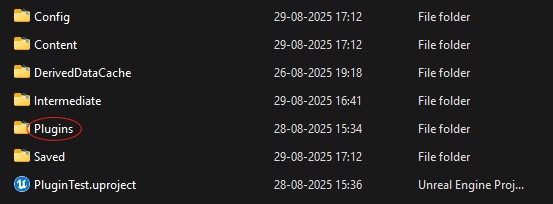
• Step 1 : Add the TrackEdge plugin to your project's Plugins folder.
Possibly not needed if you got it from fab it will automaticly add to you installed Engine vesrsion!
• Step 2 : Enable the plugin in Edit → Plugins.

• Step 3 : Restart Unreal Engine.
• Step 4 : Configuration.
Open: Edit → Project Settings → Plugins → TrackEdge
Add ,
Server URL: https://us.i.posthog.com/capture/
Server API : From Post Hog!
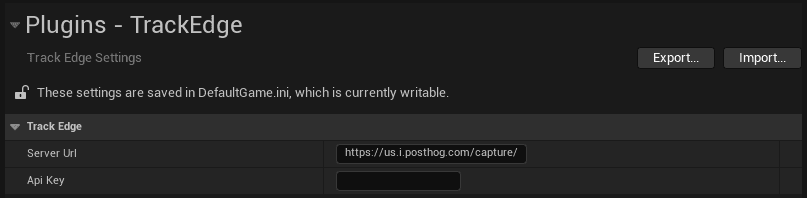
After this, you do NOT need to pass API key in Blueprint anymore.
• What Next ?
We are ready to Track!